
How to Add a Booking Page to Your Link in Bio

If people ever DM you asking "do you do calls?" or "what do you charge for a review?", you are already selling bookings — just slowly, one message at a time. A booking page in your bio replaces that back-and-forth: someone taps your link, picks an open time, pays if you charge, and it lands on both calendars. Here is how to set one up.
Why the booking page belongs in your bio
The moment someone decides they want your time is usually the moment they are looking at your content. If acting on that takes a DM, a reply, a scheduling link, and a payment request, most people quietly drop off along the way. One link that handles the time slot and the payment in a single step keeps the people you would otherwise lose.
Step 1: Set up a page that handles scheduling and payment together
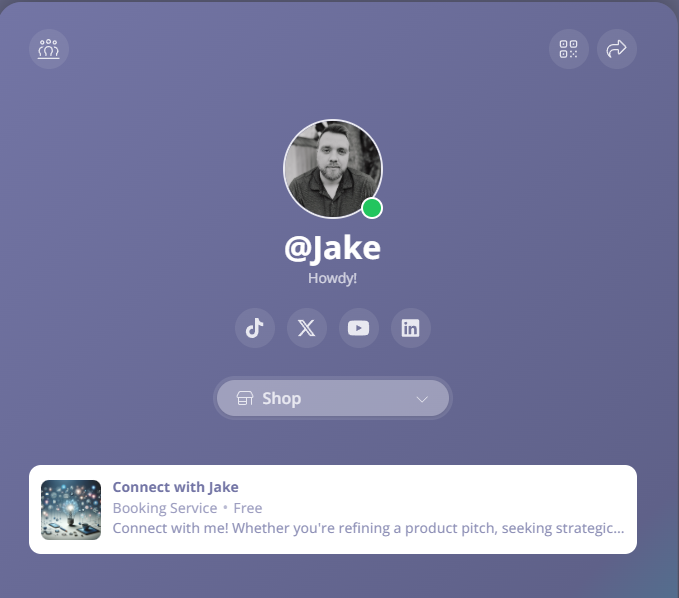
On Constants, your page at constants.com/yourhandle is a link-in-bio page with a shop built in, and a booking is just another product on it. That matters because you do not need to stitch a scheduling tool to a payment tool to a landing page: the page people already visit from your bio is the place they book. Claiming a handle is free.
Step 2: Create the booking and set your availability
From your dashboard, open Shop and add a booking. Name it after the outcome, not the mechanics: "Portfolio review", "30-minute strategy call", and "Demo day prep session" all sell better than "1:1 call". Set how long a session runs and the windows when you are actually available, and the page only ever offers times inside them. Your availability is stated in your own local time, so what buyers see always matches your calendar.
Step 3: Decide what it costs
Bookings can be free or paid. Free works when a call is your sales pipeline, like discovery calls for client work. Paid works when the call is the product: coaching, audits, portfolio reviews, office hours. If you are unsure, price your first offer low enough to say yes to and raise it once your slots start filling. Charging even a little also filters out the no-shows.
Step 4: Put it in your bio and say so in your content
Swap the link into your Instagram and TikTok bios, your YouTube descriptions, and your email signature. Then tell people what is behind it: a quick "I opened up a few review slots this month, link in bio" in a post or story outperforms a silent link every time. Scarcity is honest here — your calendar genuinely has a limited number of openings.
What happens when someone books
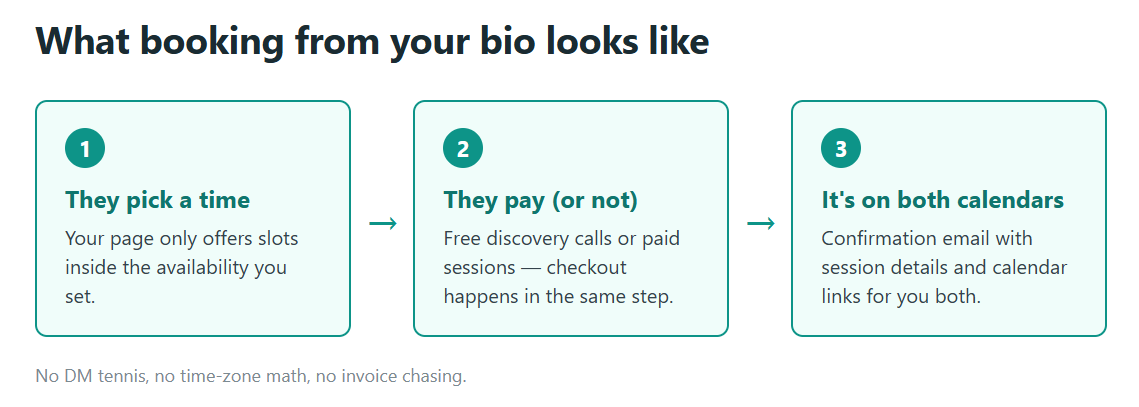
The buyer picks an open time on your page and checks out. You both get a confirmation email with the session details and calendar links, so the meeting lands where you will actually see it. No copy-pasting times across time zones, no invoice chasing, no "does Thursday still work?" thread.
What it costs to run
You can take bookings on the free Starter plan, and Premium is $29.99/mo for the full toolkit. The current plan breakdown is at https://constants.com/pricing.
Bookings also sit next to anything else you sell on the same page, so the person who came for a call can leave with your template, and the person who bought your guide can book the deeper session. One link, one storefront, and your calendar earns its keep.