
How to Sell Digital Products From Your Link in Bio (Step by Step)

Your link in bio is the only clickable real estate Instagram, TikTok, and YouTube give you, and most creators spend it on a page of outbound links. If you make digital products, that one link can be the storefront itself: someone taps it, sees your product, pays, and gets the file without you touching anything. Here is how to set that up, step by step.
Step 1: Use a link-in-bio page that can take payments
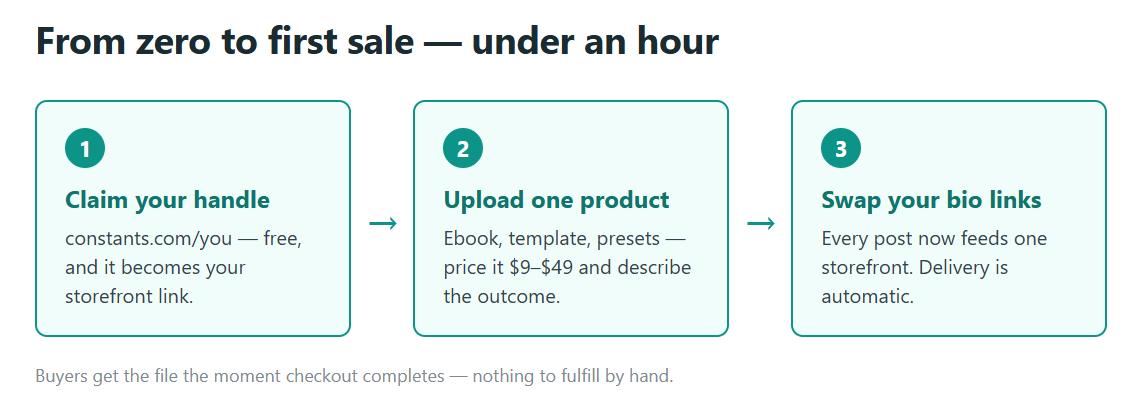
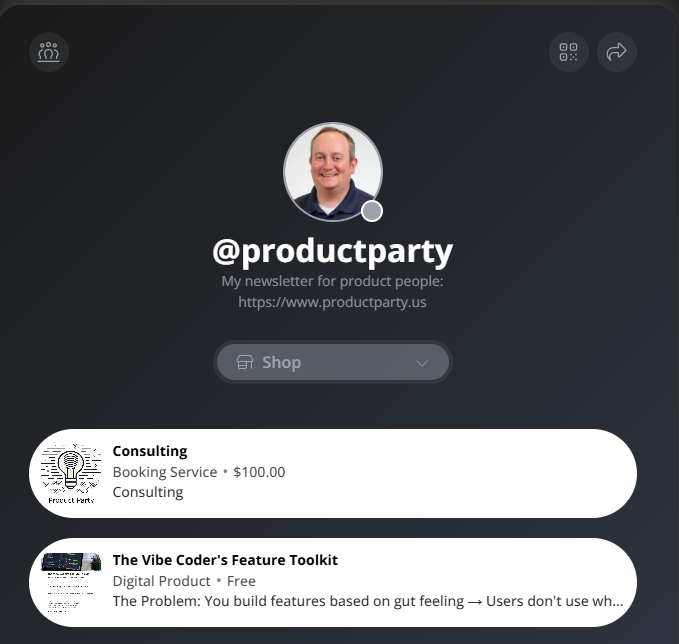
Most classic link-in-bio tools are routers. They list links that send people somewhere else to buy, and every extra hop loses buyers. The first decision is to use a page that sells directly. On Constants, your page lives at constants.com/yourhandle: it holds your bio, socials, and posts like any link-in-bio page, but your products sit right on it with checkout built in. You can claim a handle on the free plan and have a working storefront in a few minutes.
Step 2: Create your first digital product
From your dashboard, open Shop and add a product. Upload the file or files, write a name and description that say exactly what the buyer gets, and set a price. Delivery is automatic: buyers get access the moment checkout completes, whether it is an ebook, a Notion template, Lightroom presets, a beat pack, or a recorded workshop.
Step 3: Price it like a product, not a tip
Start with one flagship product at a price you can defend. Somewhere between $9 and $49 covers most first digital products, and one good product at $29 will usually outsell five thin ones at $5. Write the description around the outcome the buyer walks away with, not the file format. You can add more products once the first one is moving.
Step 4: Point every bio at your page
Put your page link in your Instagram bio, TikTok bio, YouTube channel header and video descriptions, X profile, and your email signature. Then mention the product where the attention actually is: in the content. A 15-second "I made a template for this, it is in my bio" at the end of a video converts better than any banner. The link never changes, so every post you make keeps feeding the same storefront.
Step 5: Turn buyers into an audience you own
A sale is also a signup. On Constants, buyers can follow you and join your community, so the people who paid you once are reachable the next time you launch, without renting them back from an algorithm. Post updates and behind-the-scenes work to your page, and when the next product ships, your best prospects already follow the page it sells on. If you outgrow one-off products, you can add subscriptions and memberships on the same page.
What digital products sell best from a bio link
The products that work are the ones that package something you already demonstrate in your content: templates and spreadsheets for the workflow you show, presets for the style you shoot, guides and mini-courses for the skill you teach, sample packs for the sound you make, and paid bookings for one-on-one time. If people ask the same question in your comments over and over, the answer is a product.
What it costs
You can start selling on the free Starter plan, and Premium is $29.99/mo when you want the full toolkit. The current breakdown of what is in each plan is at https://constants.com/pricing.
The whole setup is under an hour: claim your handle, upload one product, price it, and swap the link into your bios. From there it is the same game you are already playing — make things people want, and let the one link you get do the selling.